 Jotave Tech app
Spokn
AI voice journal. Talk it out: AI transcribes and summarizes your day — private, local-first.
[insert the App Store link, or remove if there is none]
What Spokn does
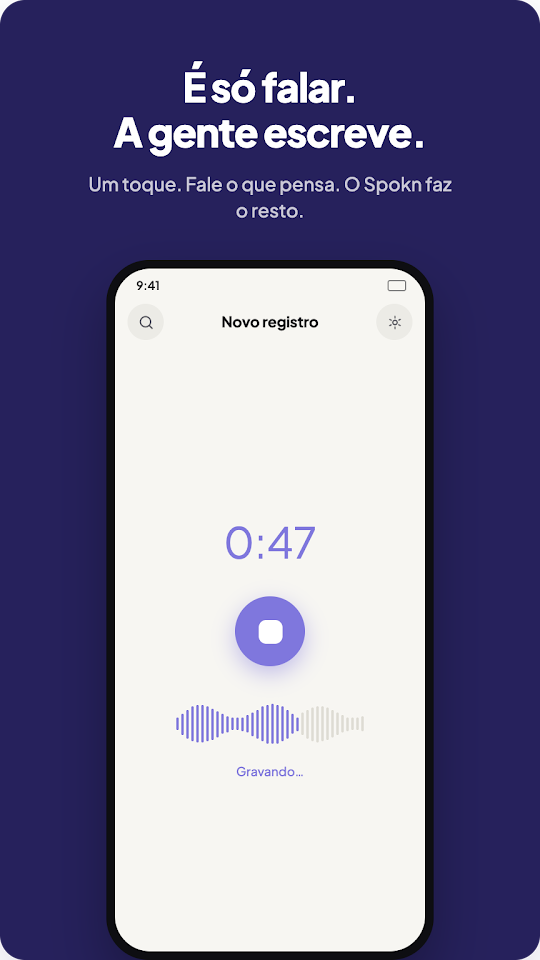
Spokn is a voice journal that turns talking into writing. Speak about a moment from your day, and AI transcribes it, writes a summary and tags your mood — no typing required.
Your audio is sent securely just long enough to generate your transcript and summary — then it is discarded. It is never stored on the servers or used to train AI models. The only copy kept is the one on your device, unless you turn on the optional cloud backup, which is encrypted before it ever leaves your phone.
App information as shown on its official Google Play page.
Who it can help
- Anyone who wants to keep a journal without typing
- People who process their day by thinking out loud
- Anyone who wants to follow their mood, goals and intentions over time
Available features
Voice-to-journal transcription
Tap the mic and speak naturally: your words become a written journal entry automatically.
Summaries and mood tags
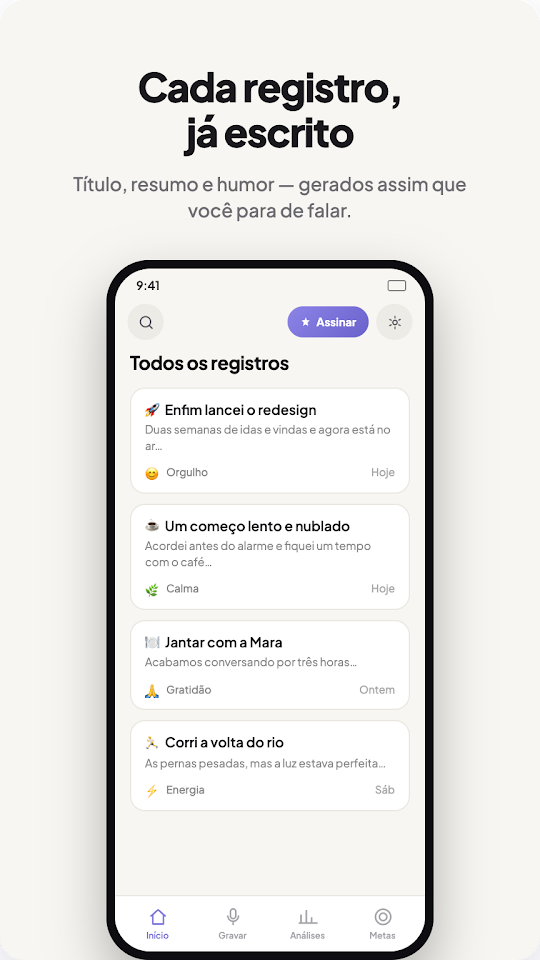
Get an AI-generated summary and a mood tag for every entry.
Goals and intentions
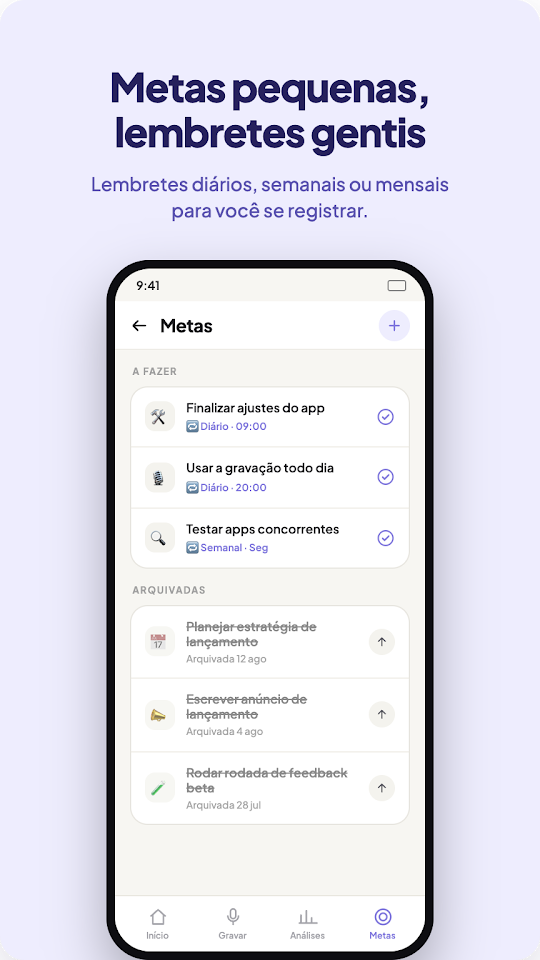
Spokn quietly picks up on goals and intentions you mention, so you can track what matters to you.
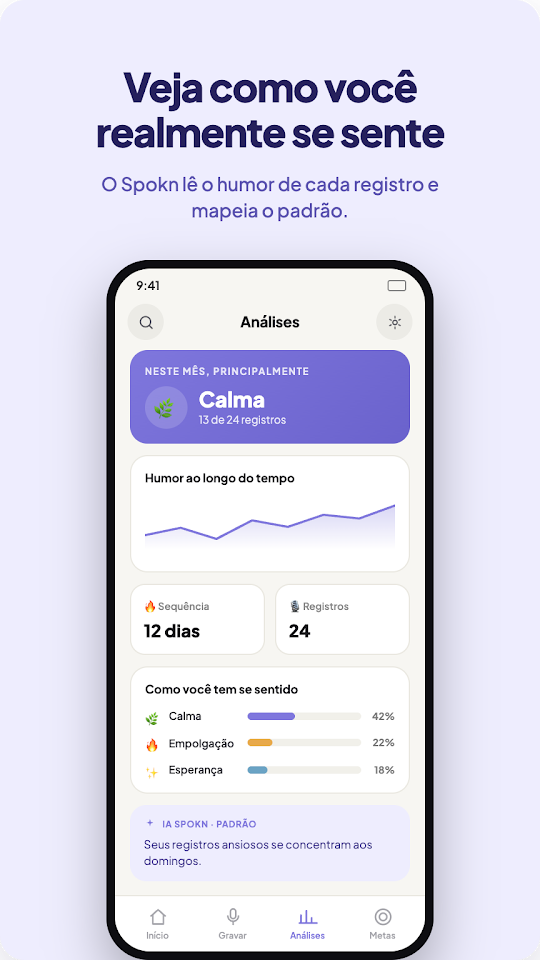
Mood timeline and weekly digest
Follow your mood over time and get a summary of your week.
Optional cloud backup
Encrypted before it leaves your phone, and only turned on if you want it.
No account required
You don’t need an account to get started.
Free and paid versions
R$ 0
- Free download on Google Play
- Try your first entry for free
[insert subscription price and billing period]
- Unlimited entries with a simple subscription
- 7-day free trial
- Cancel anytime
App screens
Questions about Spokn
Is Spokn free?
The download is free and you can try your first entry for free. To keep going with unlimited entries, there is a subscription with a 7-day free trial that you can cancel anytime.
Which phones does Spokn work on?
Spokn is available for Android on Google Play. [confirm availability for iPhone on the App Store]
How do I contact the team about Spokn?
Through the contact page, choosing the subject “Question about a product” or “Help with an app”.