 Jotave Tech app
GRO
Occupational Risk Manager: helps occupational safety and health professionals carry out environmental surveys in a wide range of fields.
[insert the App Store link, or remove if there is none]
What GRO does
The Occupational Risk Manager (GRO) app is designed to help occupational safety and health (OSH) professionals carry out environmental surveys in a wide range of fields. Built to meet Brazil’s eSocial requirements, GRO was made for those who value quality and accuracy. At the end of the survey, the app provides a detailed report of the environments and job roles analyzed.
App information as shown on its official Google Play page.
Who it can help
- Occupational safety and health professionals who carry out environmental surveys
- Anyone who needs to meet eSocial requirements
- [additional audience profile, if any]
Available features
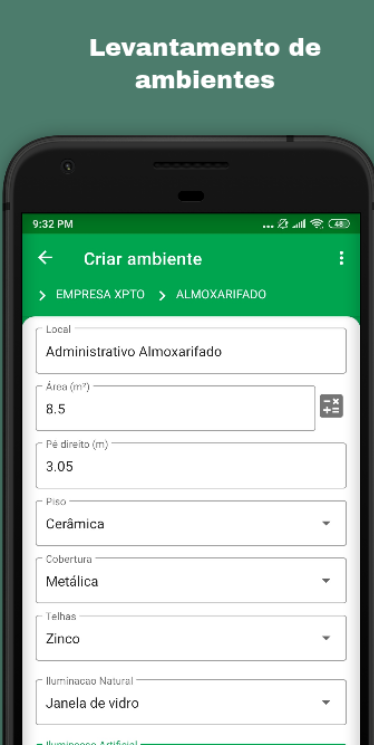
Environment surveys
Record the environments analyzed, including location, area, ceiling height, flooring, roofing and lighting.
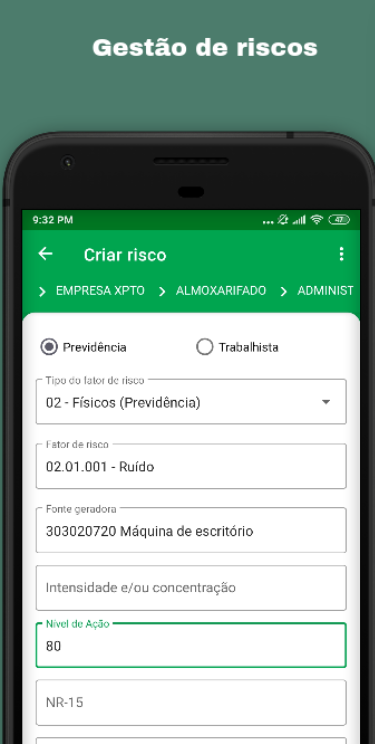
Risk management
Register risk factors, their sources and action levels for each environment.
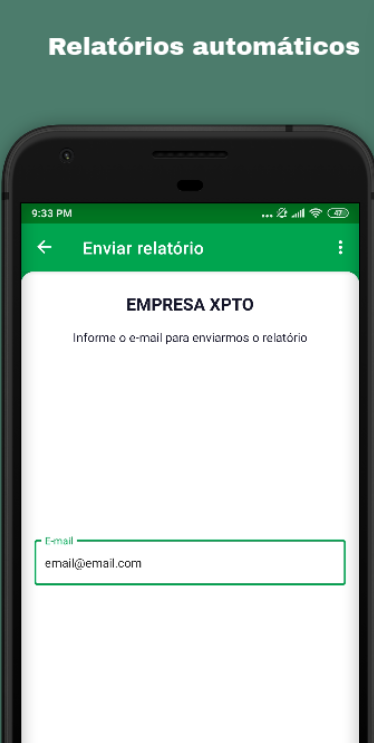
Automatic reports
At the end of the survey, the app provides a detailed report of the environments and job roles analyzed.
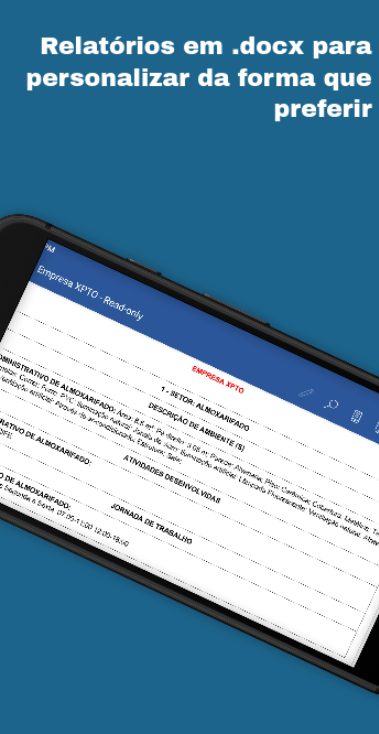
Reports in .docx
Get your reports in .docx and customize them however you prefer.
Built for eSocial
Designed to meet eSocial requirements.
Free and paid versions
[confirm whether GRO has both versions]
R$ 0
- Free download on Google Play
- [included features — confirm]
[insert price and billing period]
- [confirm whether there is a paid version]
- [exclusive feature]
App screens
Questions about GRO
Is GRO free?
Downloading GRO from Google Play is free. [confirm whether there is a paid version and what it includes]
Which phones does GRO work on?
GRO is available for Android on Google Play. [confirm availability for iPhone on the App Store]
How do I contact the team about GRO?
Through the contact page, choosing the subject “Question about a product” or “Help with an app”.